GRM System in Development Projects (Complete Guide for Donor-Funded Infrastructure)
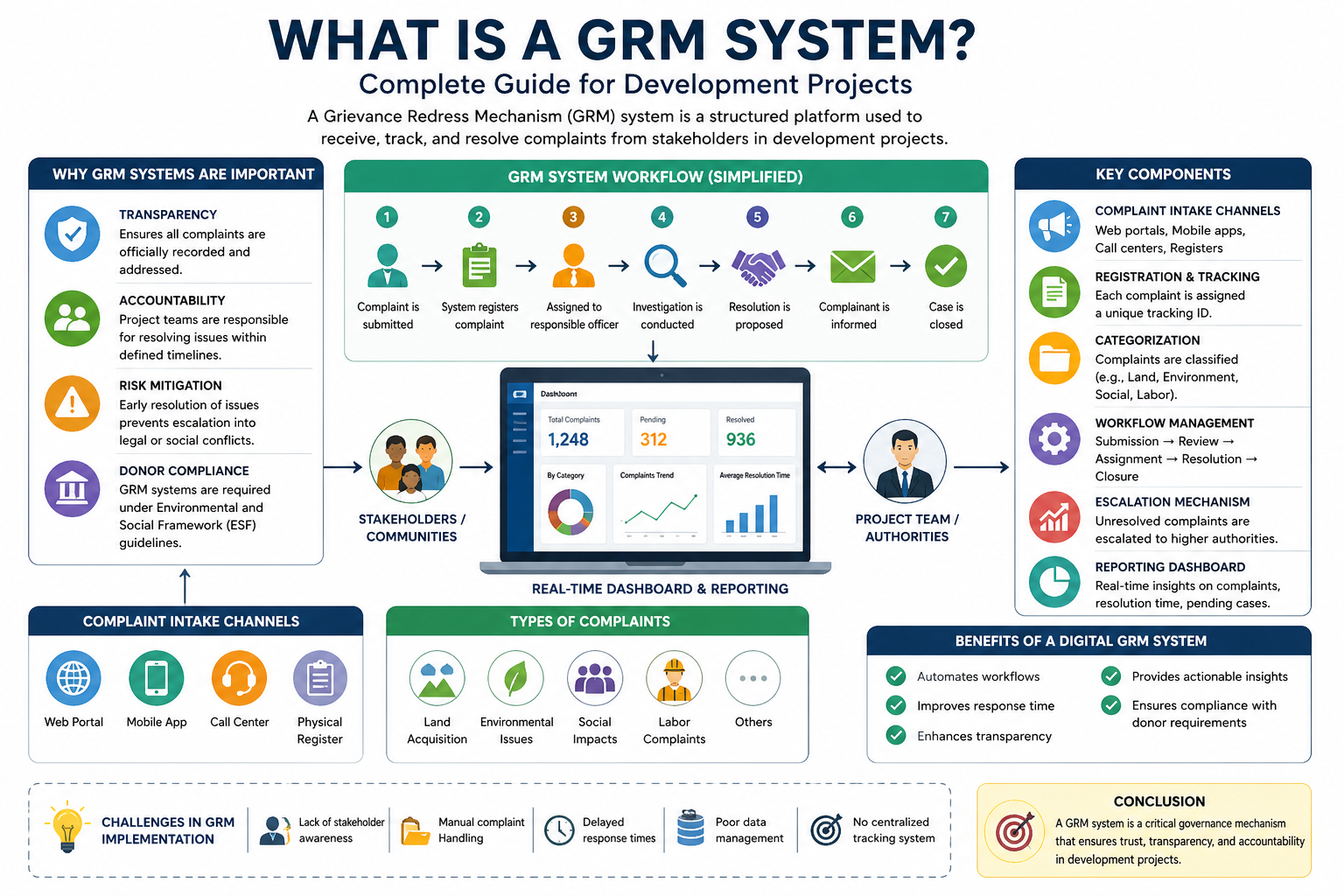
A GRM system (Grievance Redress Mechanism) is a structured platform used in development and infrastructure projects to receive, track, investigate, and resolve complaints from stakeholders in a transparent and time-bound manner.
Used globally in World Bank, ADB, and government-funded programs, GRM systems ensure compliance, accountability, and stakeholder trust through structured workflows and Service Level Agreements (SLAs).
Simple Definition:
GRM System = Complaint Intake + Tracking + Investigation + Resolution + Compliance Monitoring
What is a GRM System?
A GRM system (Grievance Redress Mechanism) is a centralized complaint management platform that ensures all grievances are recorded, tracked, investigated, and resolved efficiently with full traceability.
It is a critical module within a Management Information System (MIS) , especially in large-scale donor-funded and public sector projects.
Why GRM Systems Are Critical in Development Projects
Transparency & Trust
Every complaint is tracked across its full lifecycle, ensuring visibility and trust.
Donor Compliance
Mandatory under frameworks like Environmental & Social Framework (ESF).
Risk Mitigation
Prevents escalation into legal, financial, or reputational risks.
Operational Efficiency
Reduces delays and improves complaint resolution timelines.
Core Components of a GRM System
1. Multi-Channel Complaint Intake
- Web portals and mobile applications
- Call centers and helplines
- Field offices and physical registers
2. Complaint Tracking System
Each complaint is assigned a unique ID for tracking, monitoring, and audit compliance.
3. Workflow Automation
Automates the full lifecycle from submission to closure with minimal manual intervention.
4. SLA & Escalation Management
Ensures complaints are resolved within defined timelines with automatic escalation.
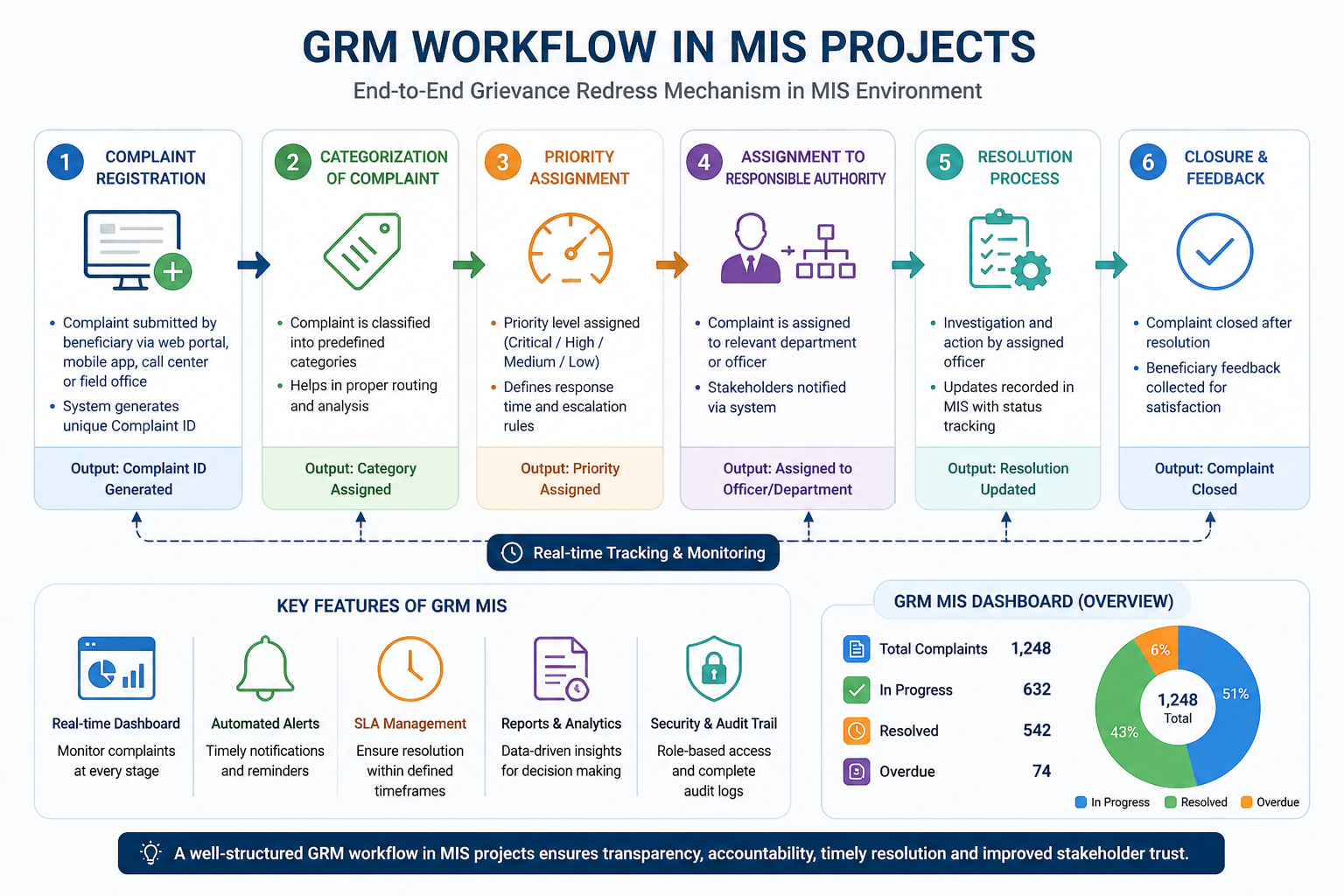
Standard GRM Workflow (Step-by-Step)
- Complaint submission (web, mobile, call center, field)
- System-generated tracking ID
- Assignment to responsible department
- Investigation and verification
- Resolution implementation
- Notification to complainant
- Closure and archival
👉 Learn more in detail: GRM Workflow in MIS Projects
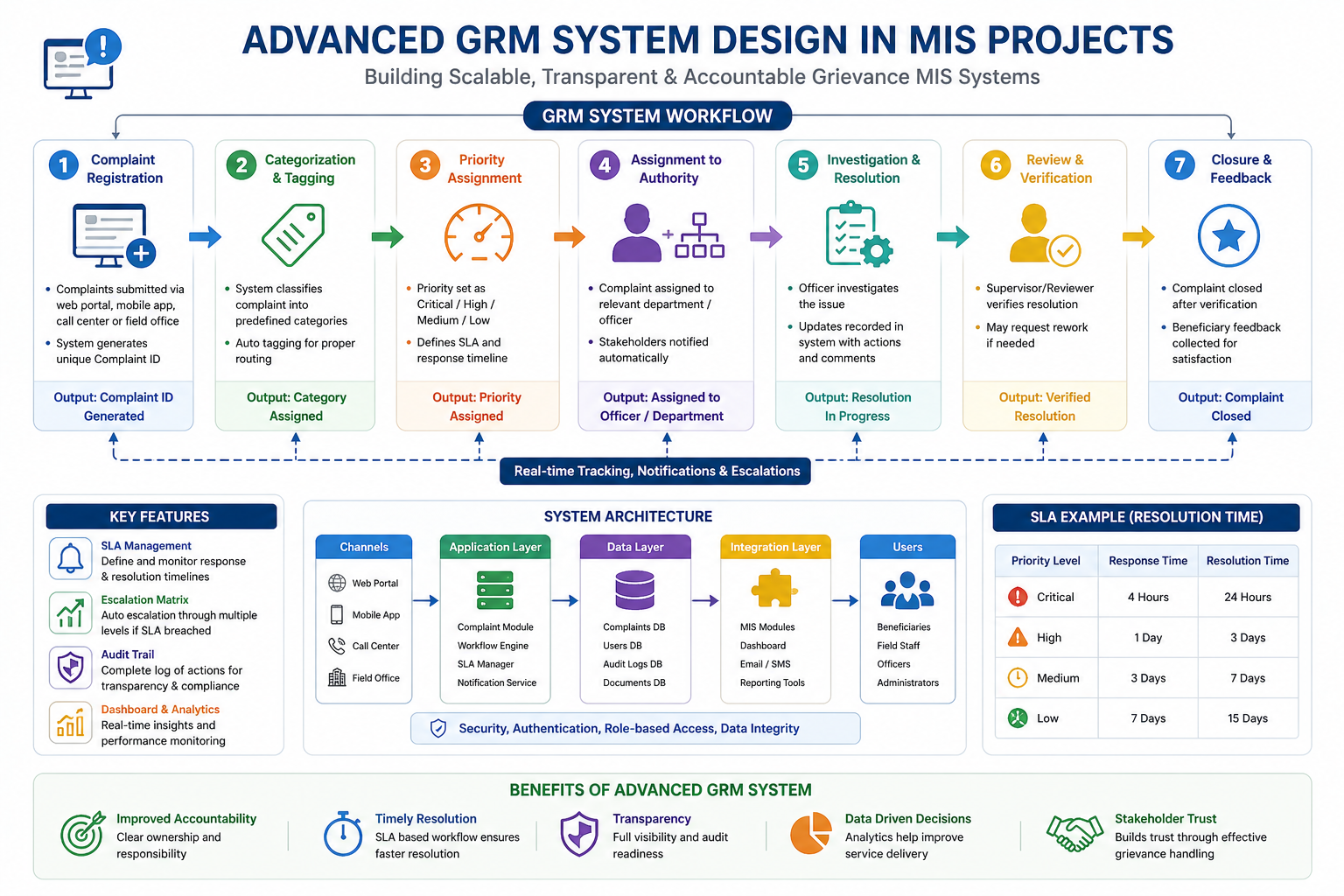
Advanced Features of Modern GRM Systems
👉 Explore advanced design: Advanced GRM System Design
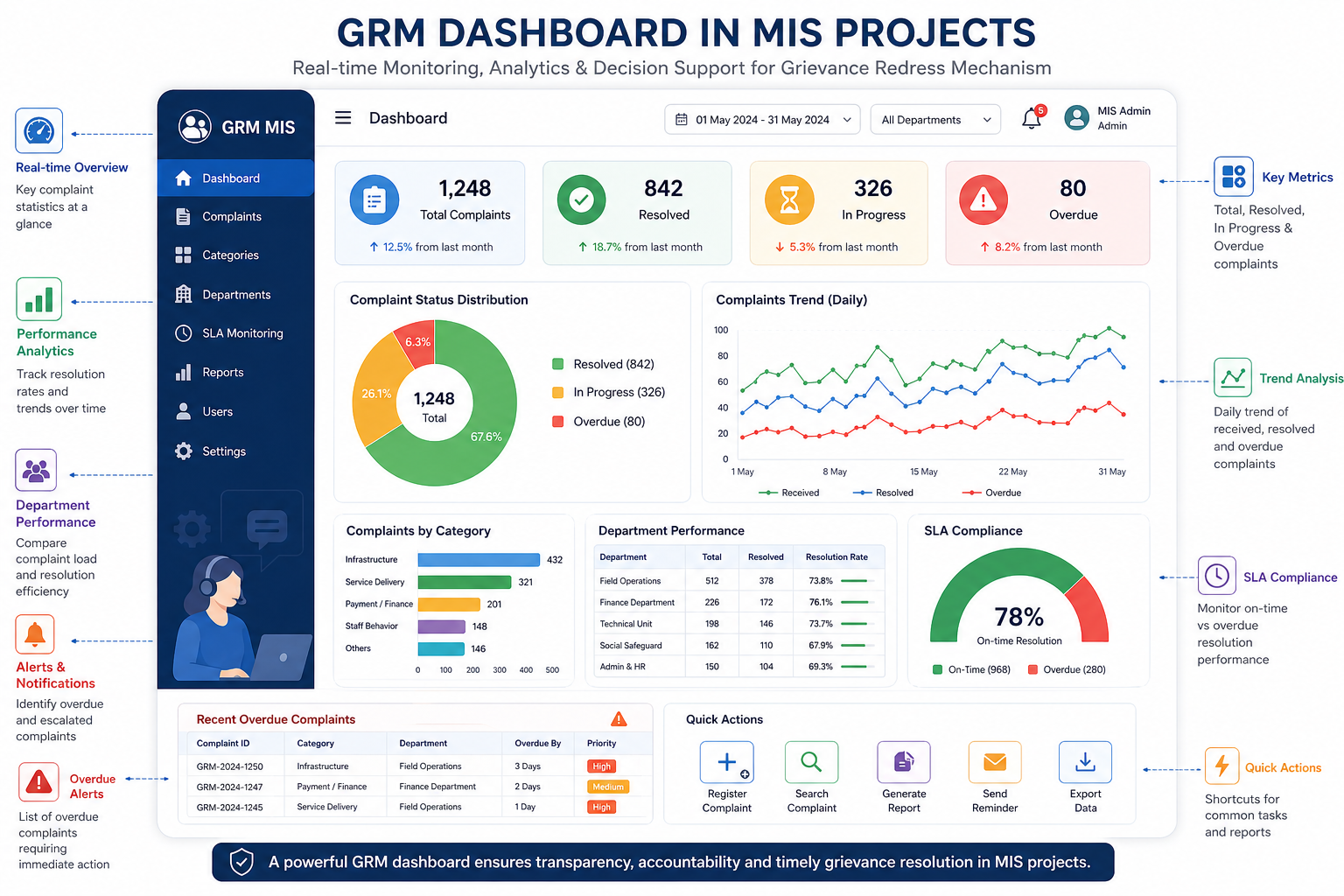
GRM Dashboard & Reporting
Modern GRM systems include dashboards for real-time monitoring of complaints, SLA performance, and resolution trends.
👉 Learn more: GRM Dashboard in MIS Projects
Frequently Asked Questions
What is a GRM system?
A GRM system is a structured platform used to receive, track, investigate, and resolve complaints efficiently in projects and organizations.
Is GRM part of MIS?
Yes, GRM is typically a module within MIS focused on grievance and complaint management.
Why is GRM required in donor-funded projects?
It ensures compliance, transparency, and accountability as required by international funding agencies like the World Bank.
Need a Donor-Compliant GRM System?
We design scalable, MIS-integrated GRM solutions for governments, NGOs, and infrastructure projects worldwide.
Explore GRM Solutions